Enrollment lives on paper
Application packets, enrollment agreements, and disclosures printed, signed, scanned, and filed — then hunted down when someone asks for them.
 ATLAS · Student Information & Operations Platform
ATLAS brings admissions, enrollment, student records, clock-hour attendance, grades, transcripts, payments, documents, and a student portal into one calm system — for licensed, regulated, and clock-hour schools that generic software never quite fits.
Born inside a state-licensed clock-hour school — in daily use by administrators, instructors, and students.
Sound familiar?
Most school management software was built for someone else's school — a university, a K-12 district, a credit-hour college. Clock-hour and vocational programs end up bending their operation around the software, then patching the gaps by hand.
Application packets, enrollment agreements, and disclosures printed, signed, scanned, and filed — then hunted down when someone asks for them.
Sign-in sheets keyed into spreadsheets, totals reconciled by hand, and no single trustworthy answer to “how many hours does this student have?”
Records in one tool, grades in another, payments in a third, announcements by text — and the front office holding it together from memory.
When the state board, an accreditor, or an auditor asks for records, assembling them takes days — because the records were never designed to be assembled.
One platform
ATLAS covers the full life of a student — from first application to final transcript — and the daily operations that surround it.
Online applications, paperless enrollment agreements with e-signature, and structured student onboarding — no more paper packets.
QR clock-in and clock-out, hour tracking by category, and clock-hour totals you can trust — computed, not reconciled.
A weighted gradebook instructors actually use, feeding a living transcript of official grades and hours, export-ready at any moment.
Charges, payments, payment plans, and balances in a single ledger — with print-ready, accounting-grade account statements.
Student records, document storage, announcements, and communications kept with the student — organized and retrievable.
Students see their hours, grades, schedule, balance, documents, and progress toward graduation — fewer front-desk questions, more accountability.
Beyond the browser: four companion apps carry ATLAS onto the floor — for students, faculty, administration, and the door itself. See the companion apps →
See it in action
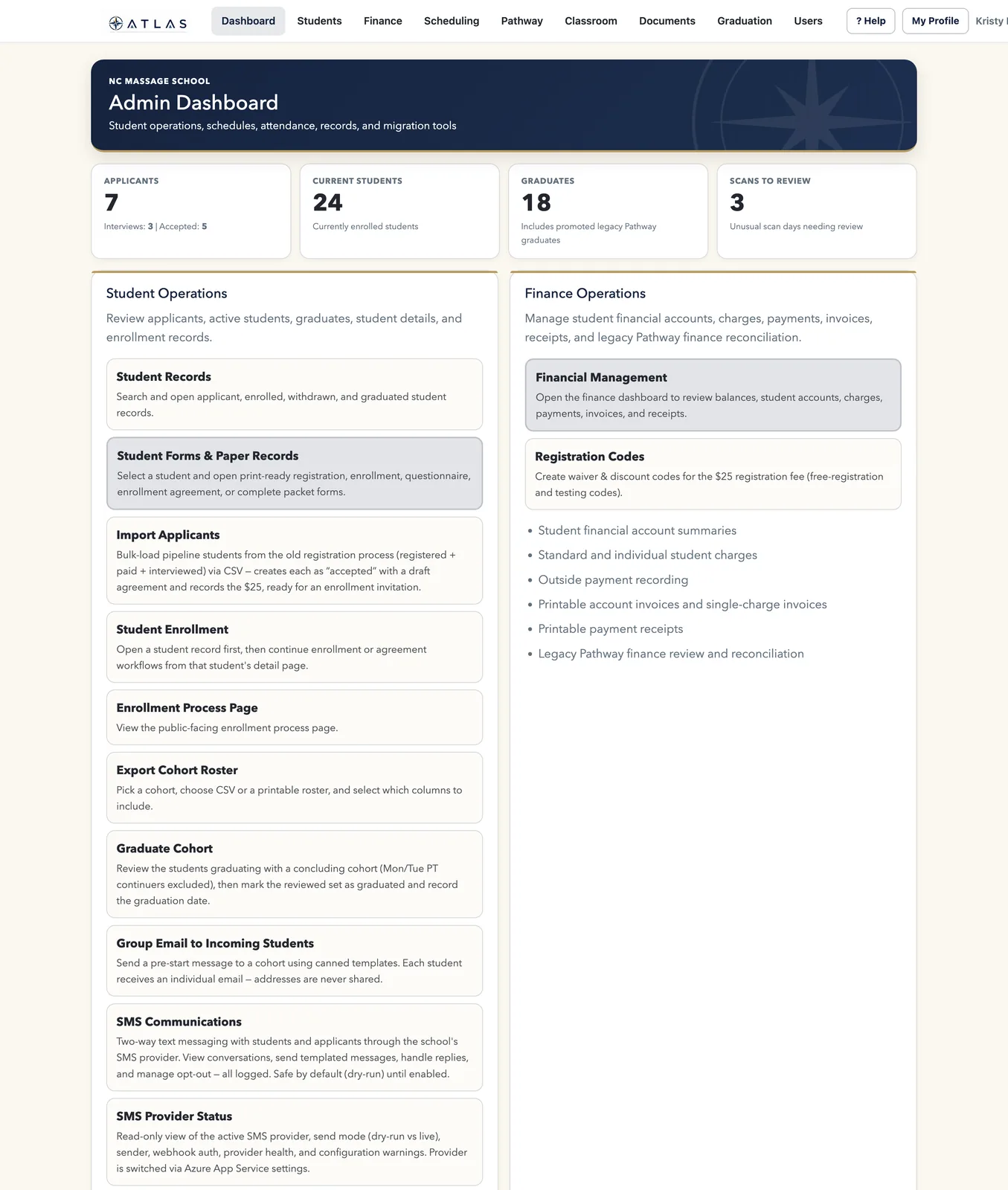
Real screens from the working platform — not mockups.
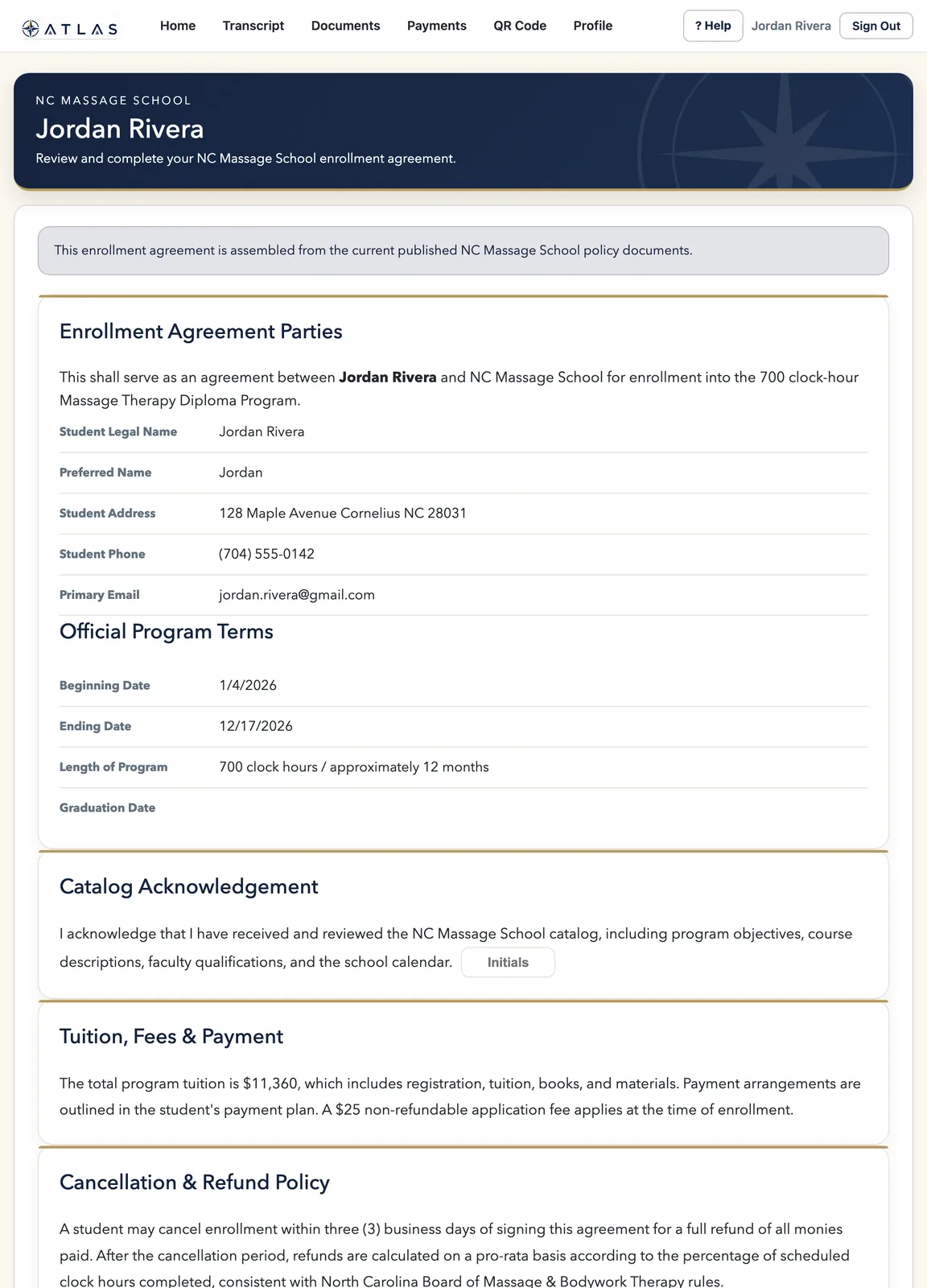
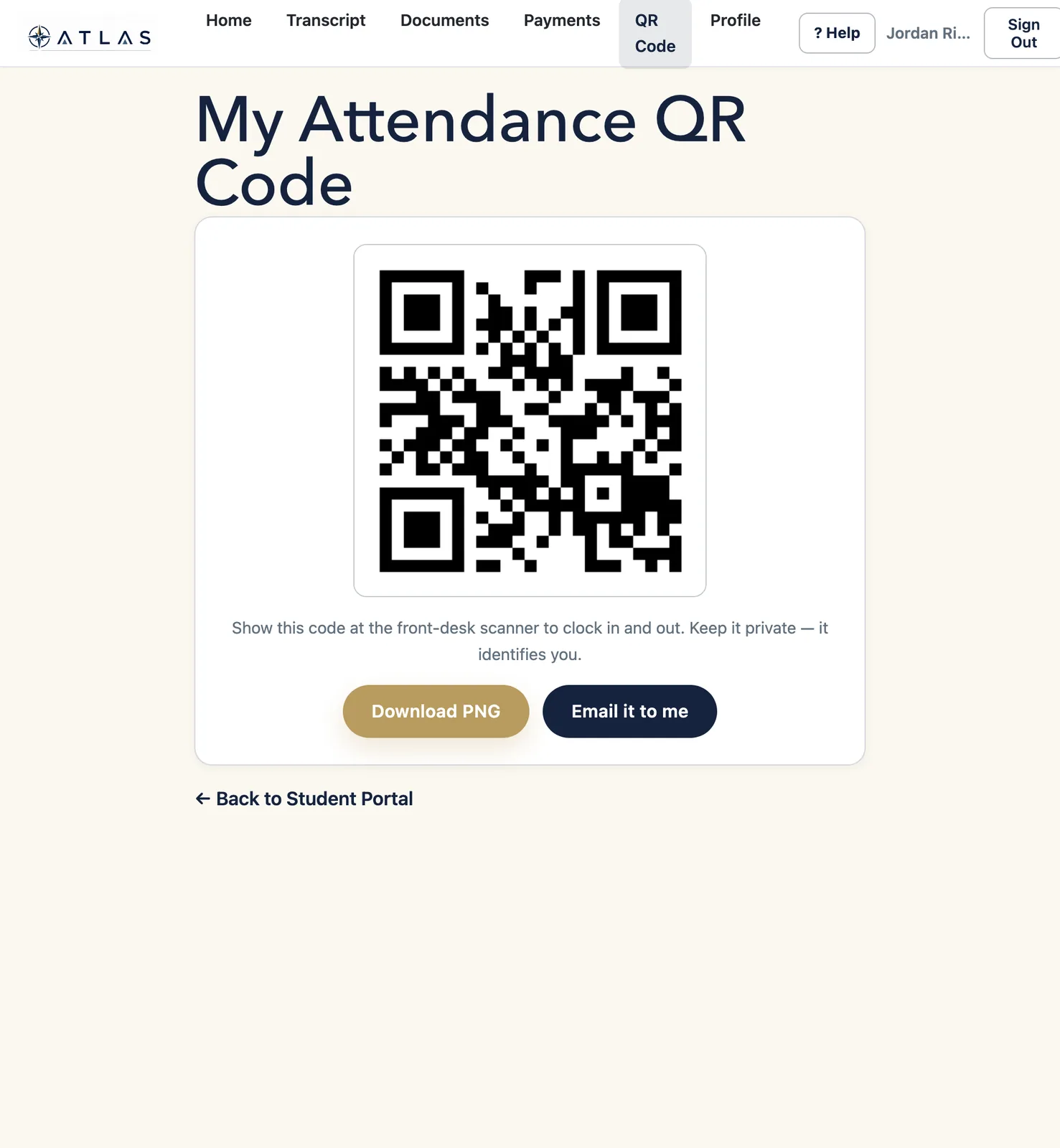
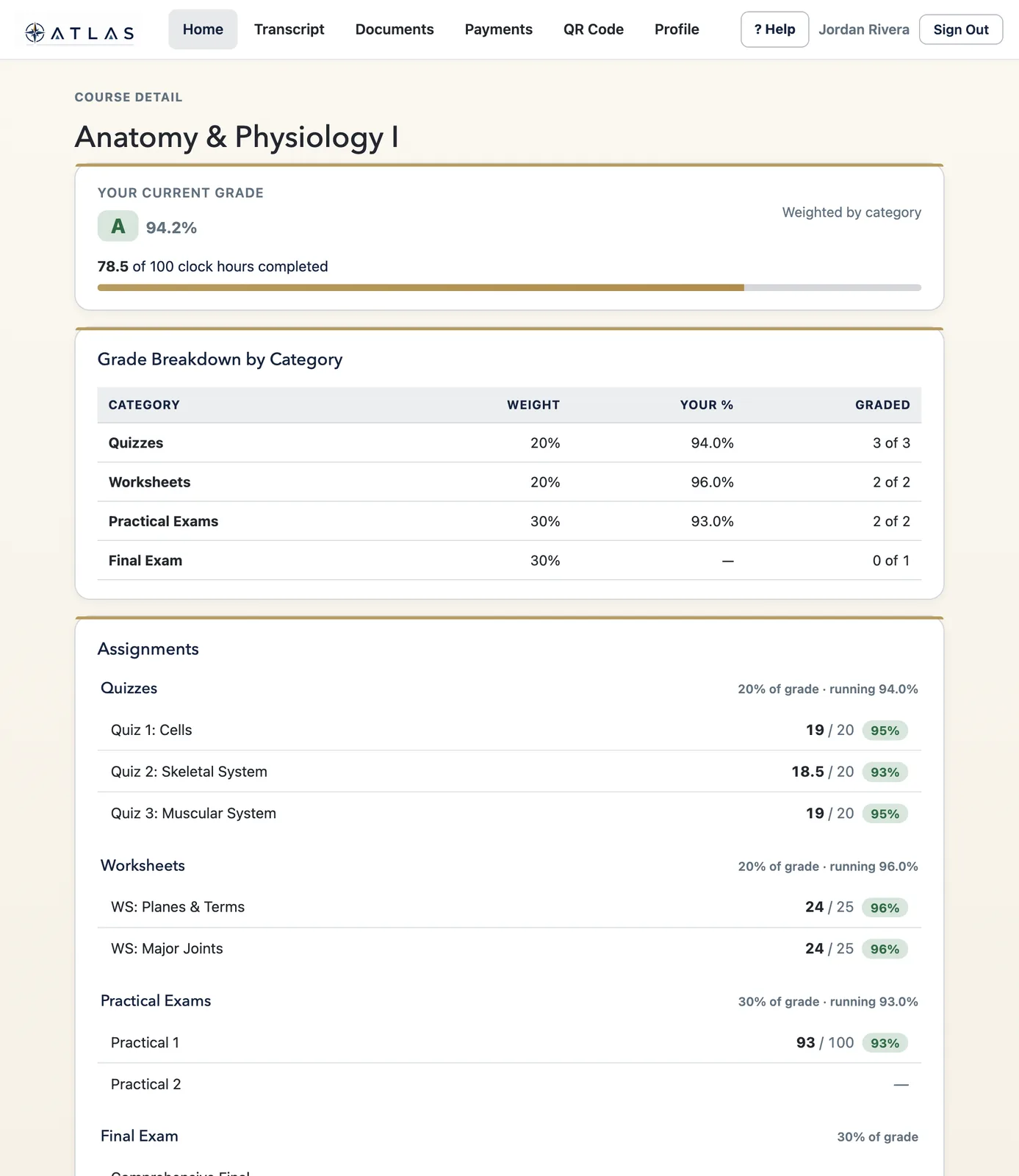
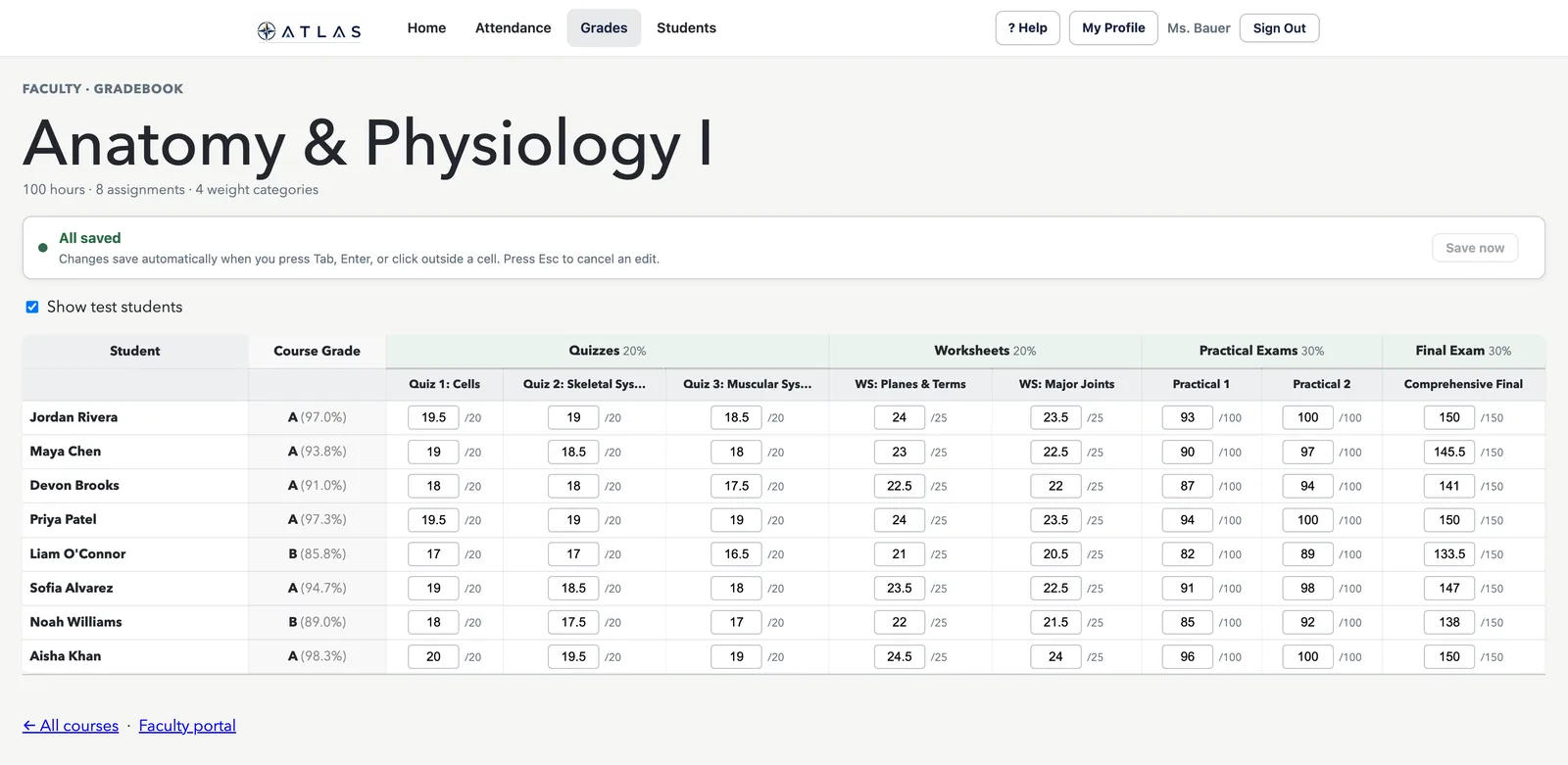
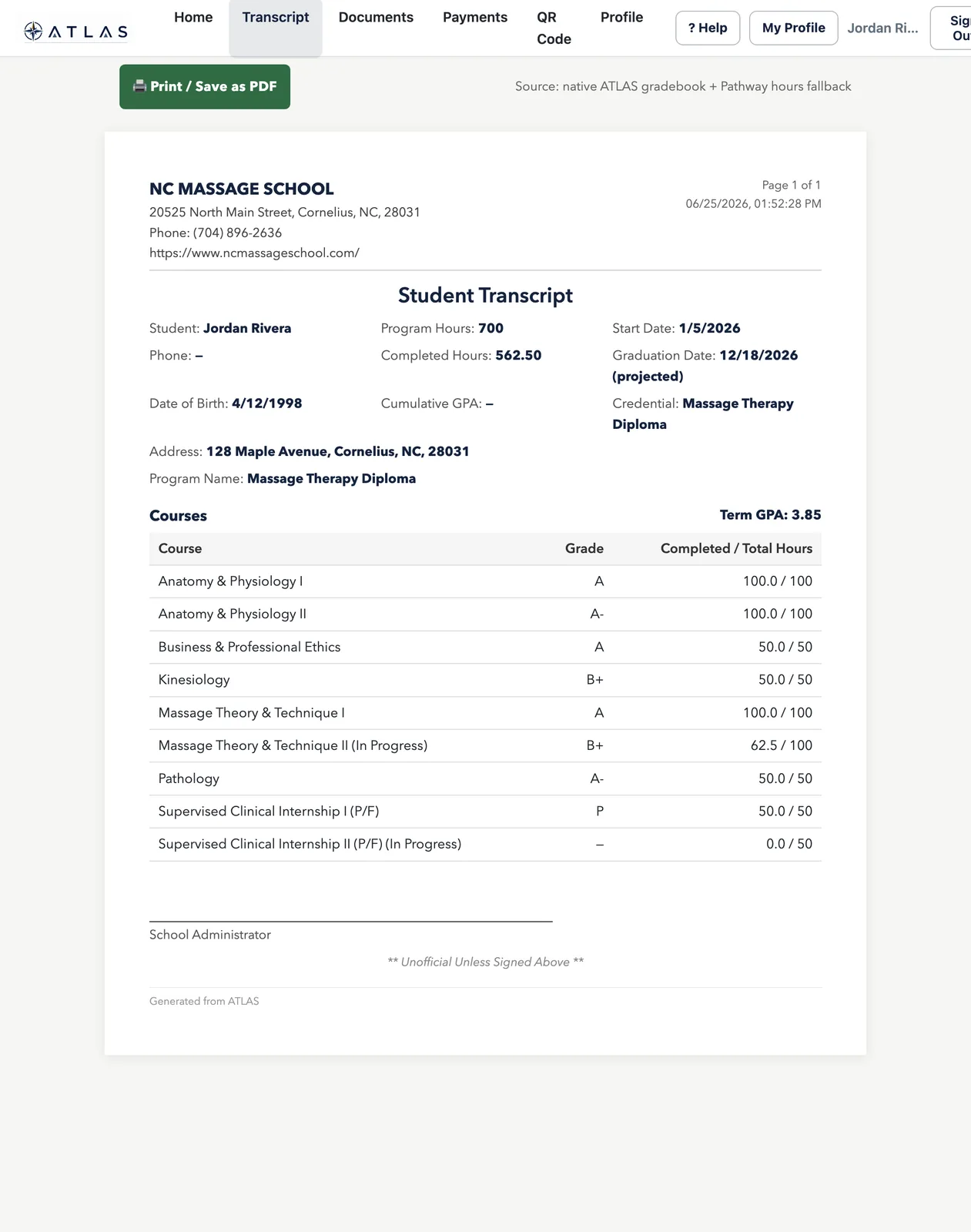
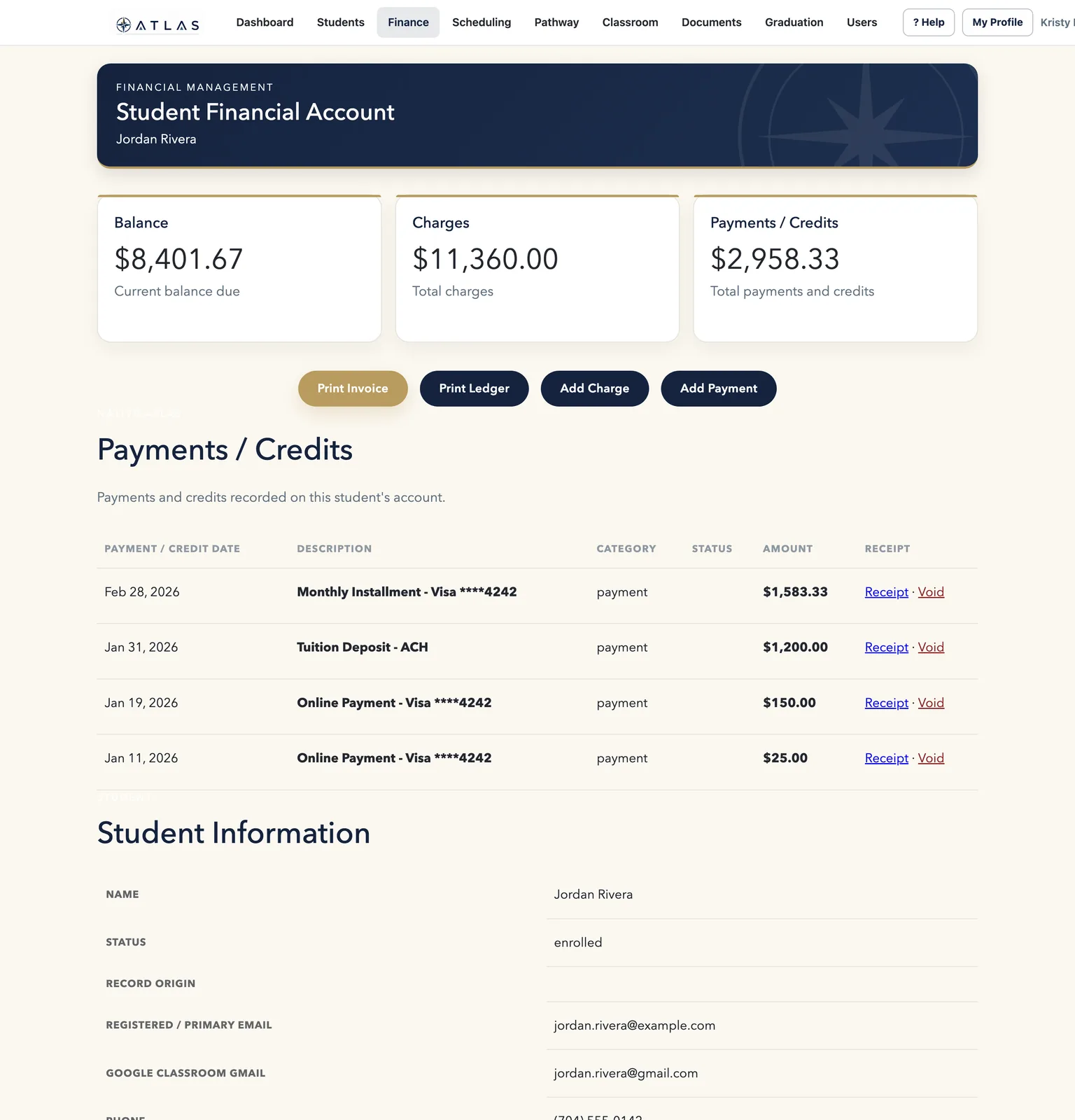
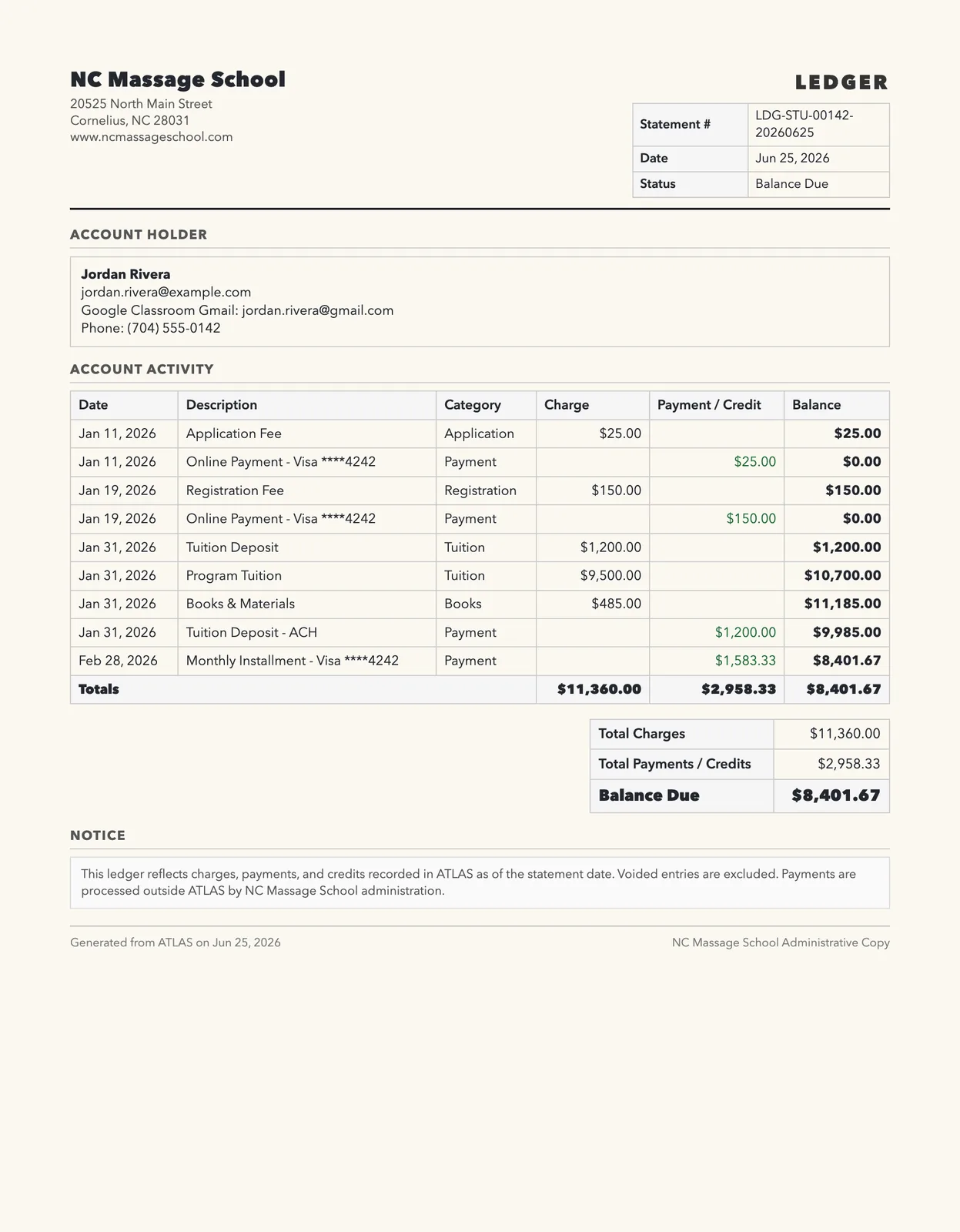
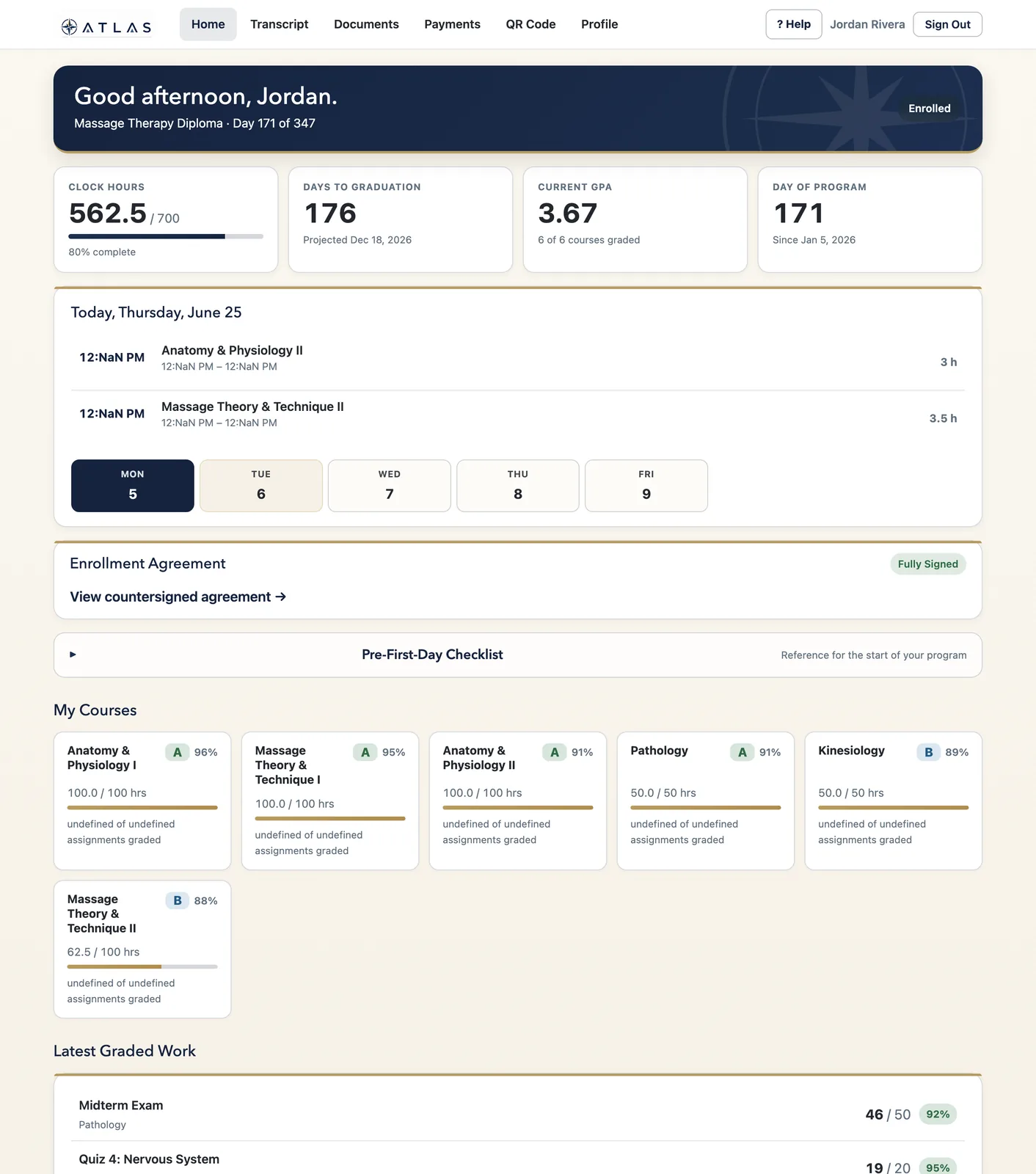
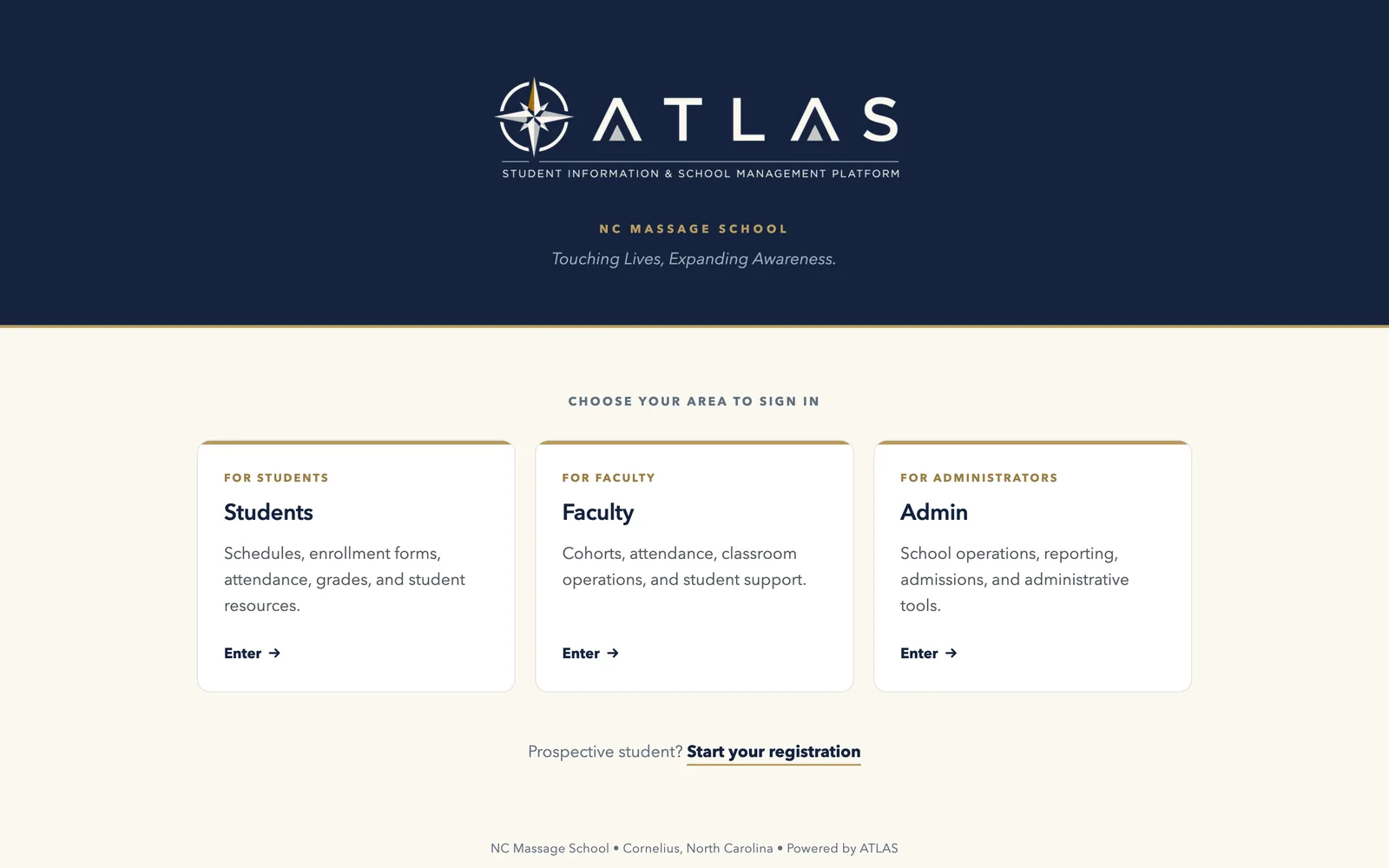
Actual ATLAS screens shown with fictional demo data — no real student information is displayed.
Companion apps
The web platform is where the school is run. The companion apps carry the parts people need while they’re moving — a student between classes, an instructor in front of a room, an administrator between meetings — and a kiosk at the entrance that turns arriving into an attendance record. Each app is read-only by design: your school’s record changes on the web, where it is audited.
Several of these apps are distributed privately to the schools we work with, so they do not appear in store search. The links below install them directly.
For students
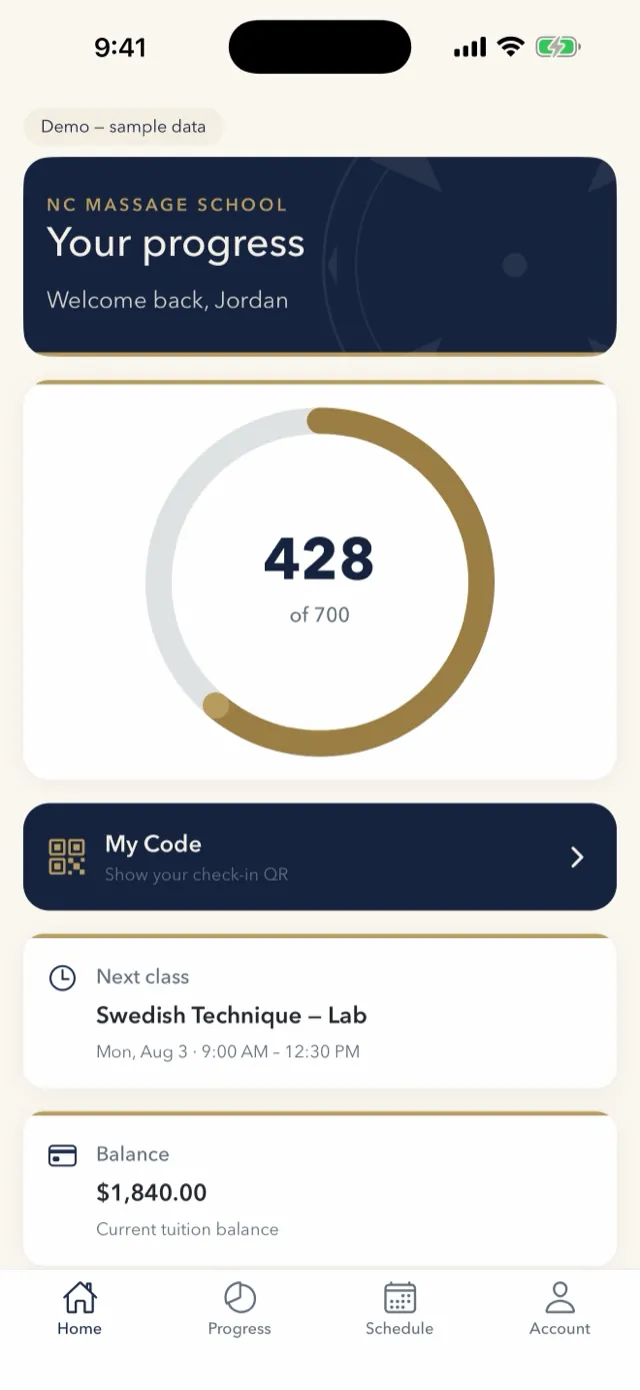
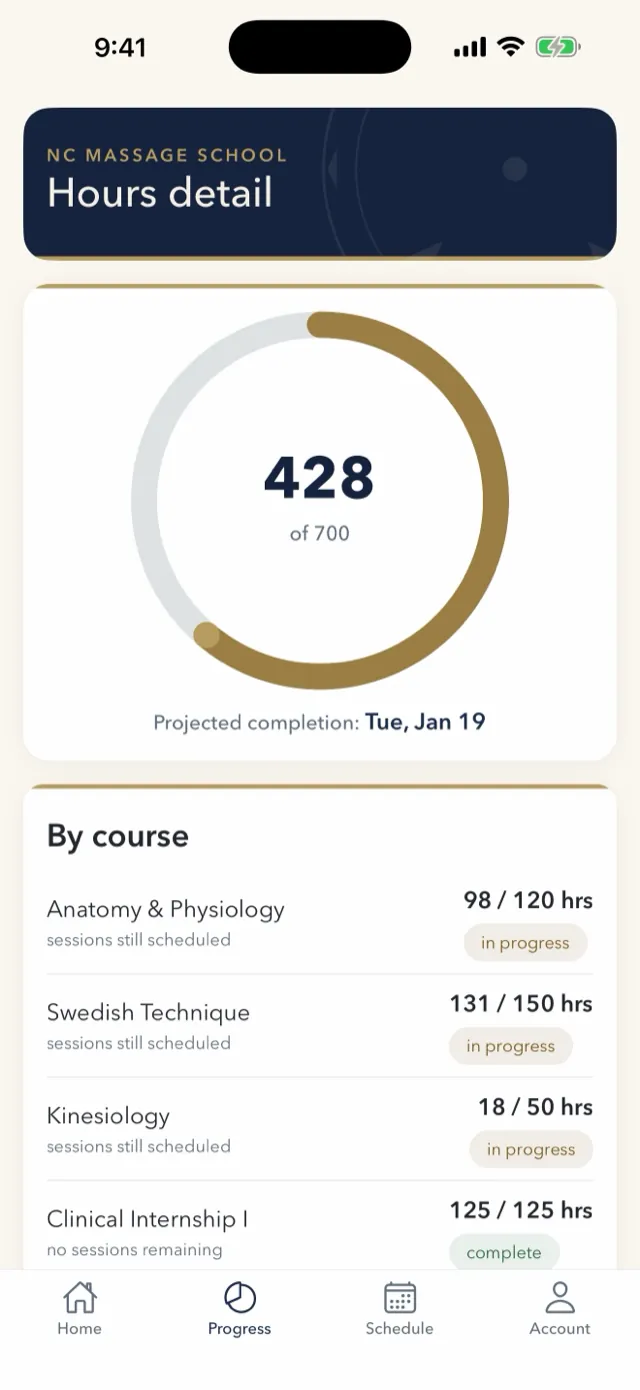
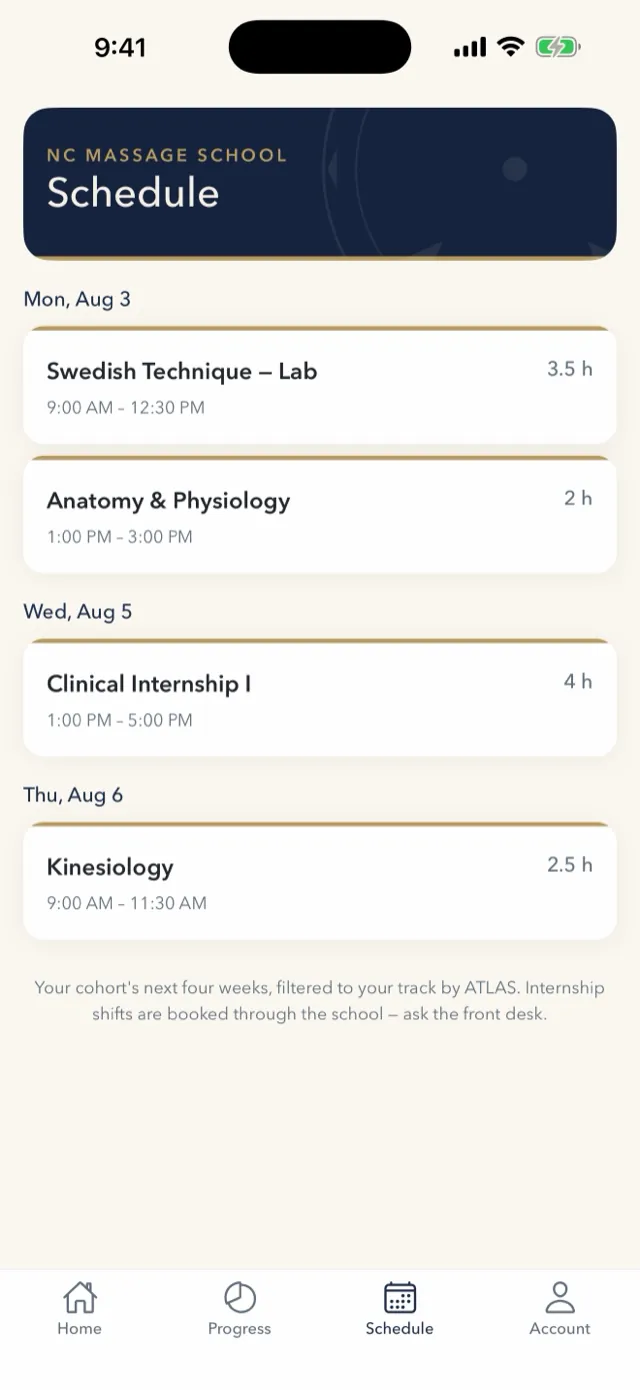
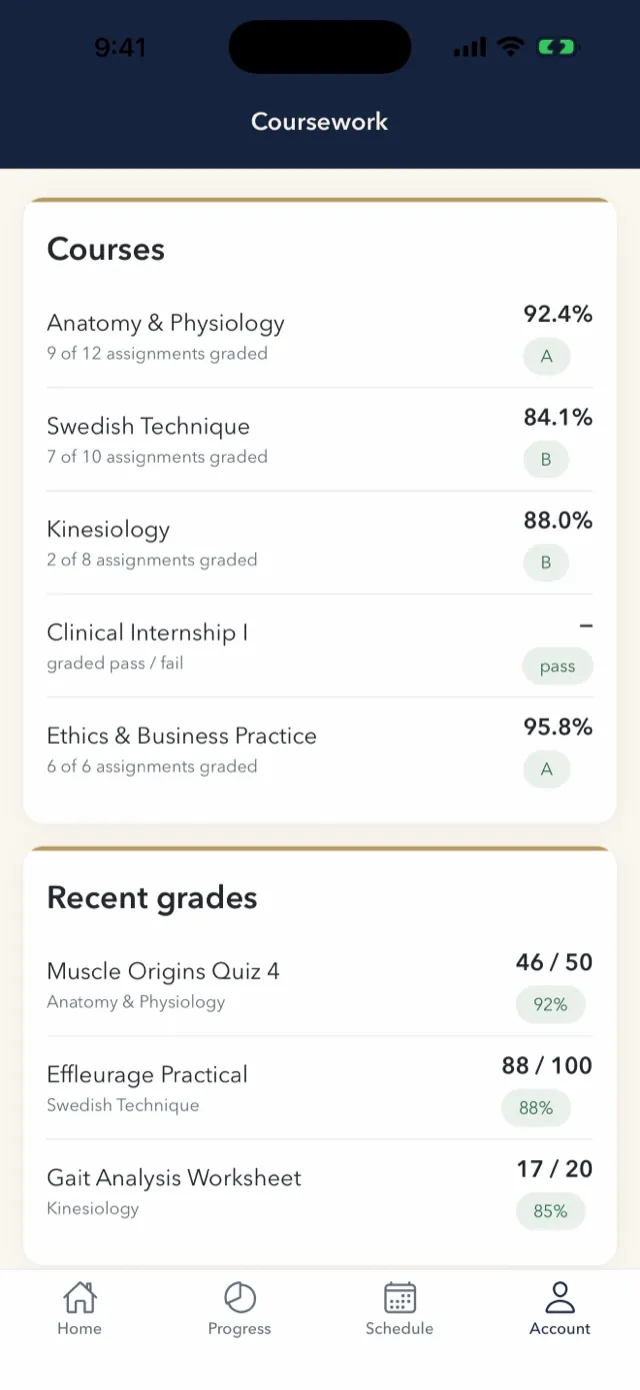
One promise to a student: always know where you stand, and what to do next. Apprentice shows clock-hour progress against the program requirement, coursework grades, the class schedule, account balance, school documents, and the personal QR code used to clock in and out — every figure exactly as ATLAS recorded it. The front desk stops fielding “how many hours do I have?”
For faculty
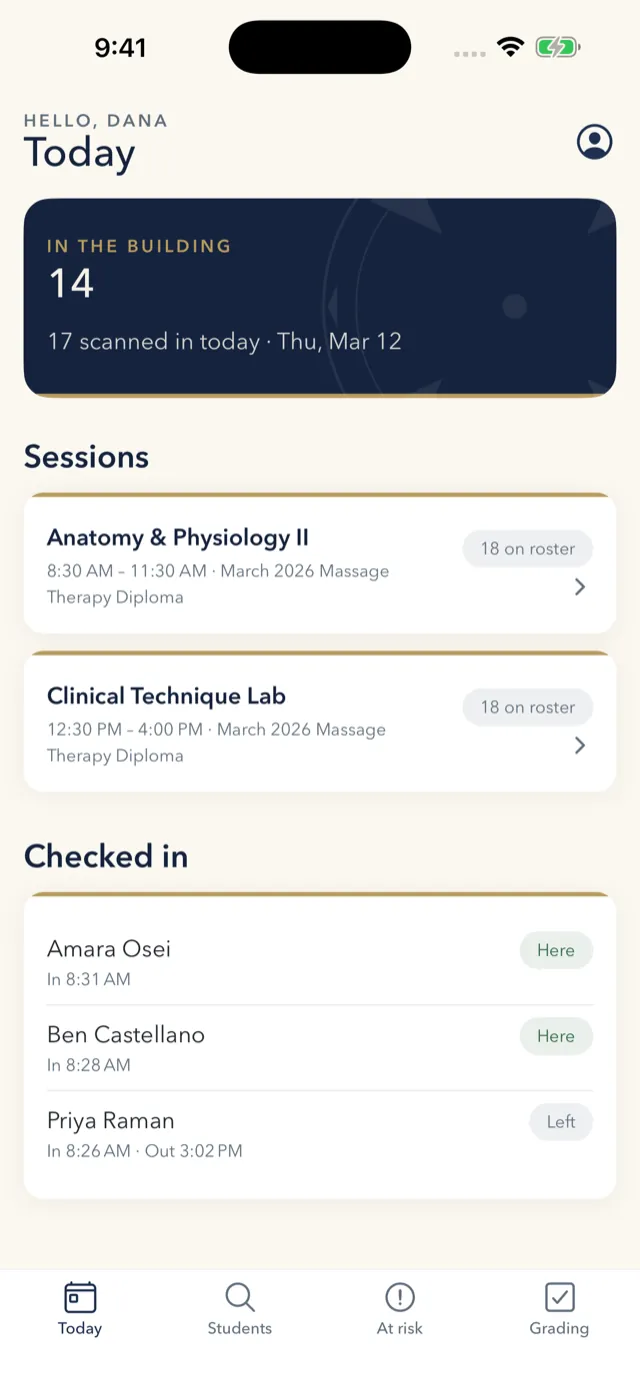
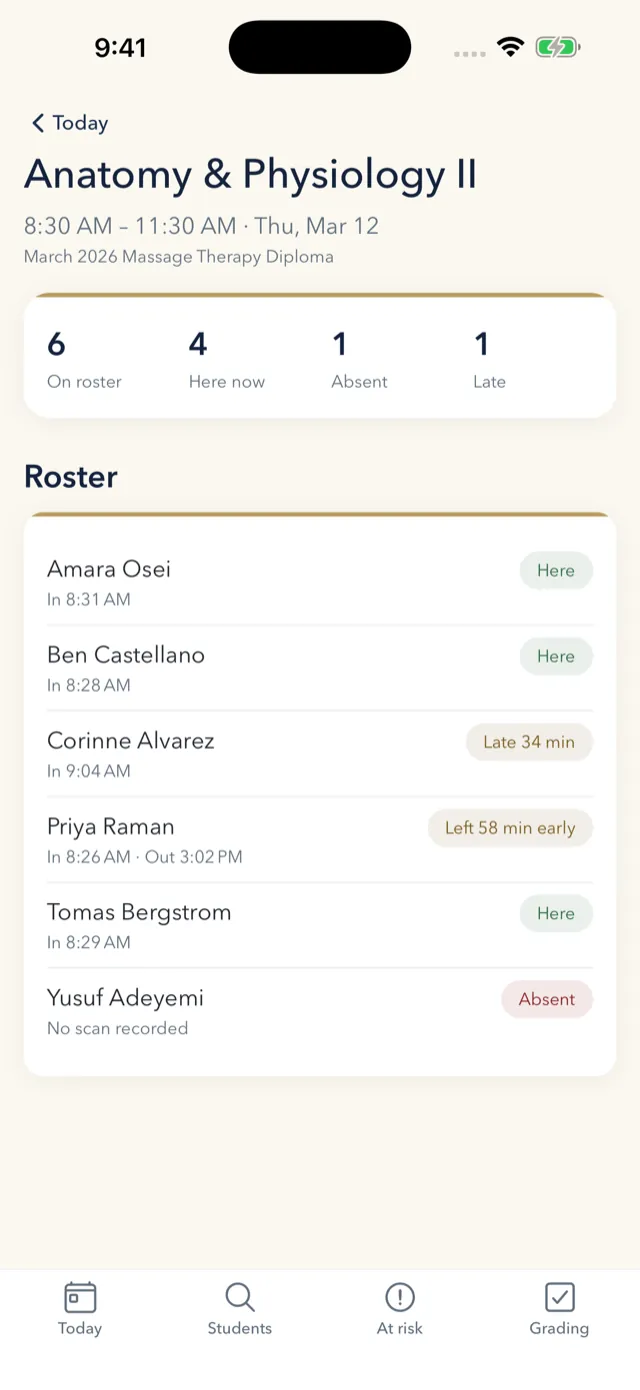
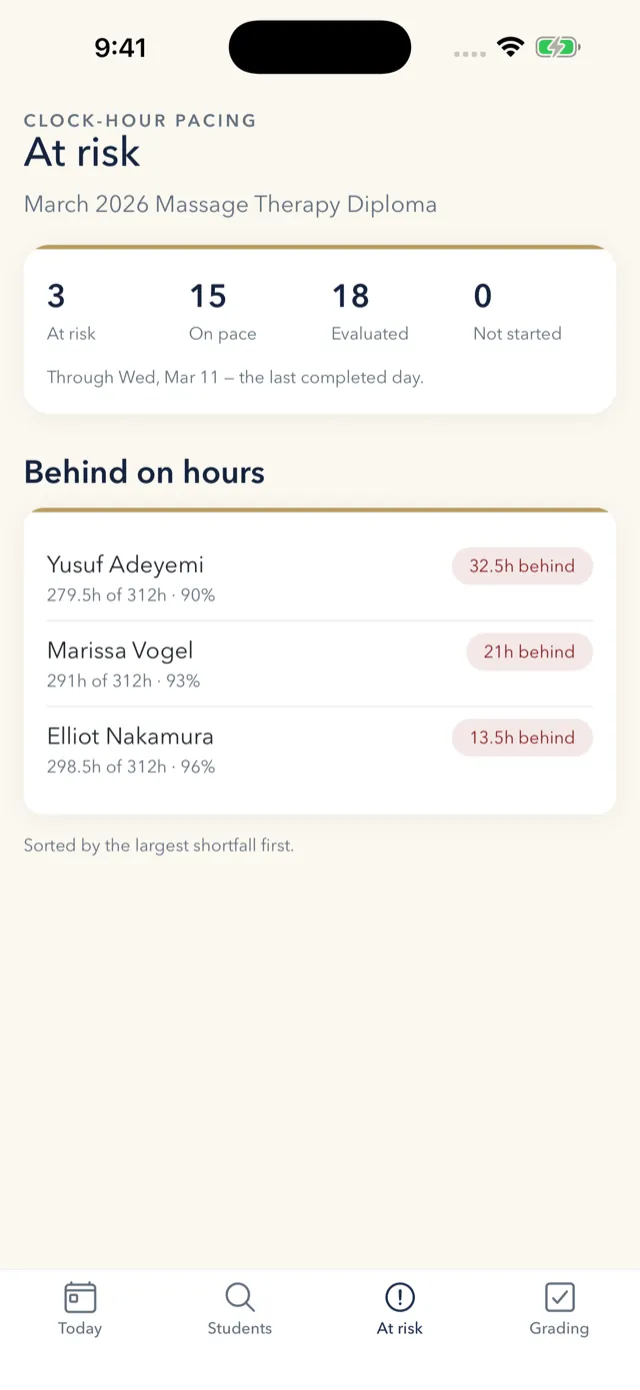
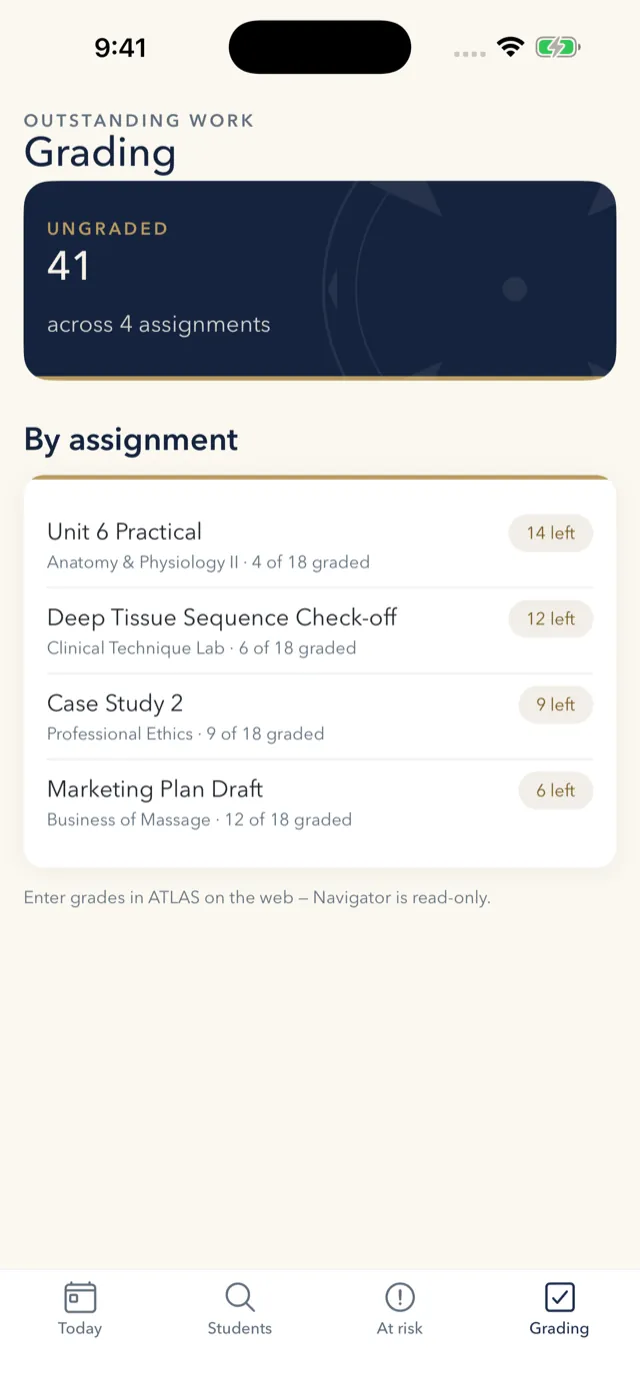
Navigator answers the questions an instructor has while standing in a classroom: who is here, who is behind, and what still needs grading. The session roster shows each student’s clock-in and clock-out with late and left-early flags. The at-risk list ranks the cohort by the largest shortfall in hours — so the conversation happens while there is still time to fix it, not at graduation.
For administration
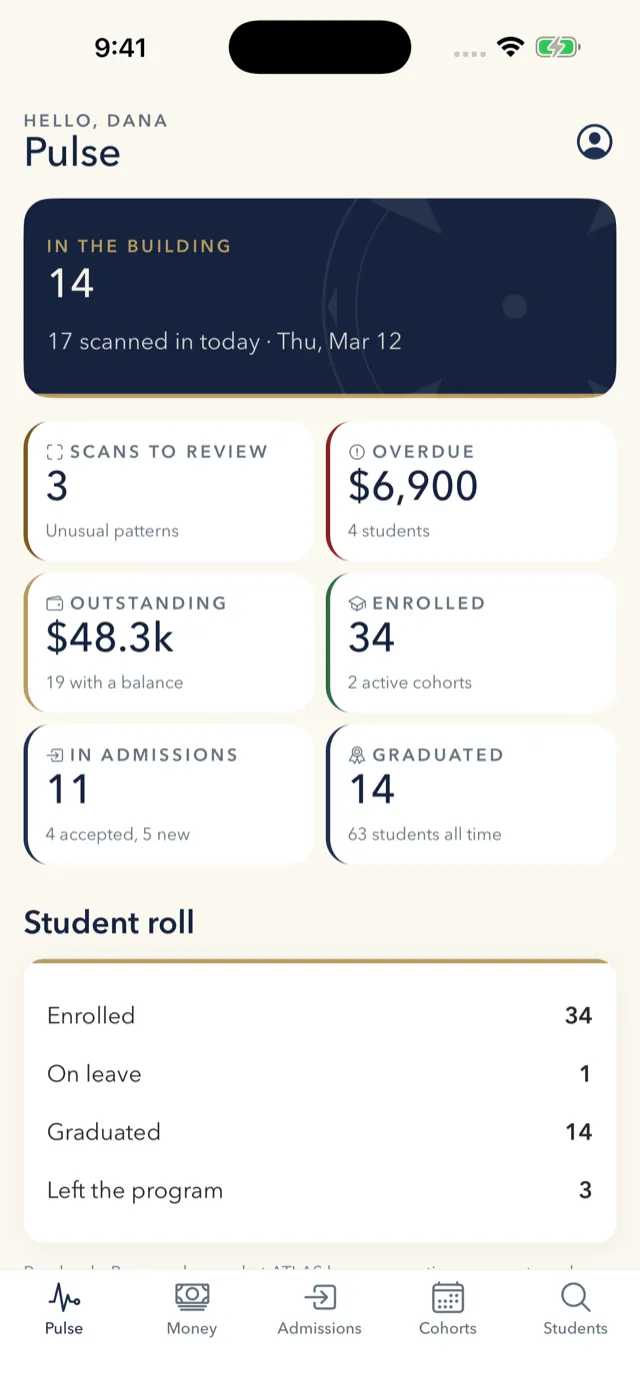
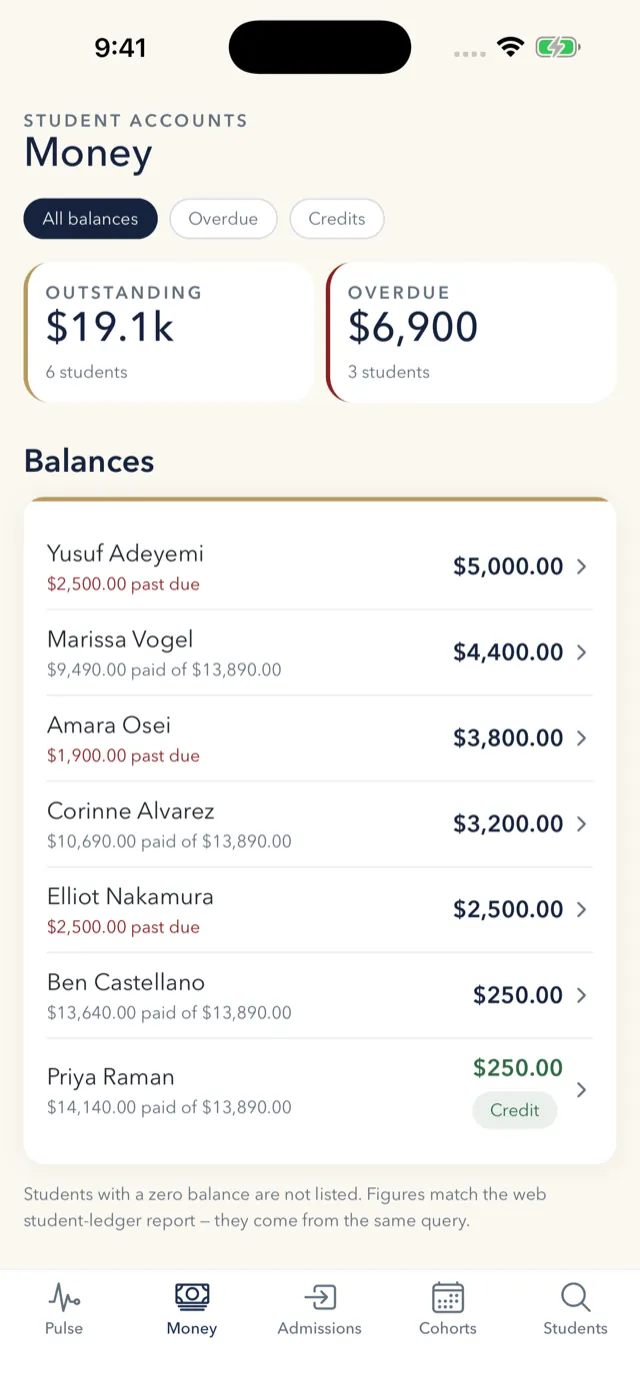
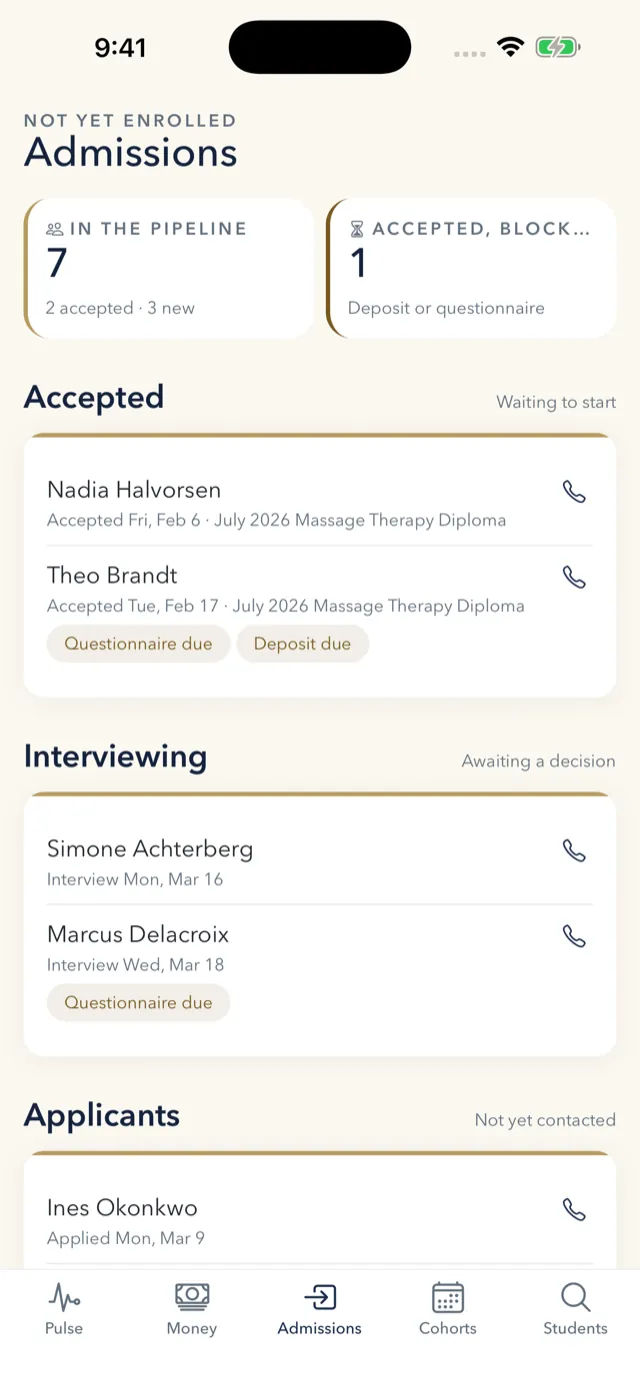
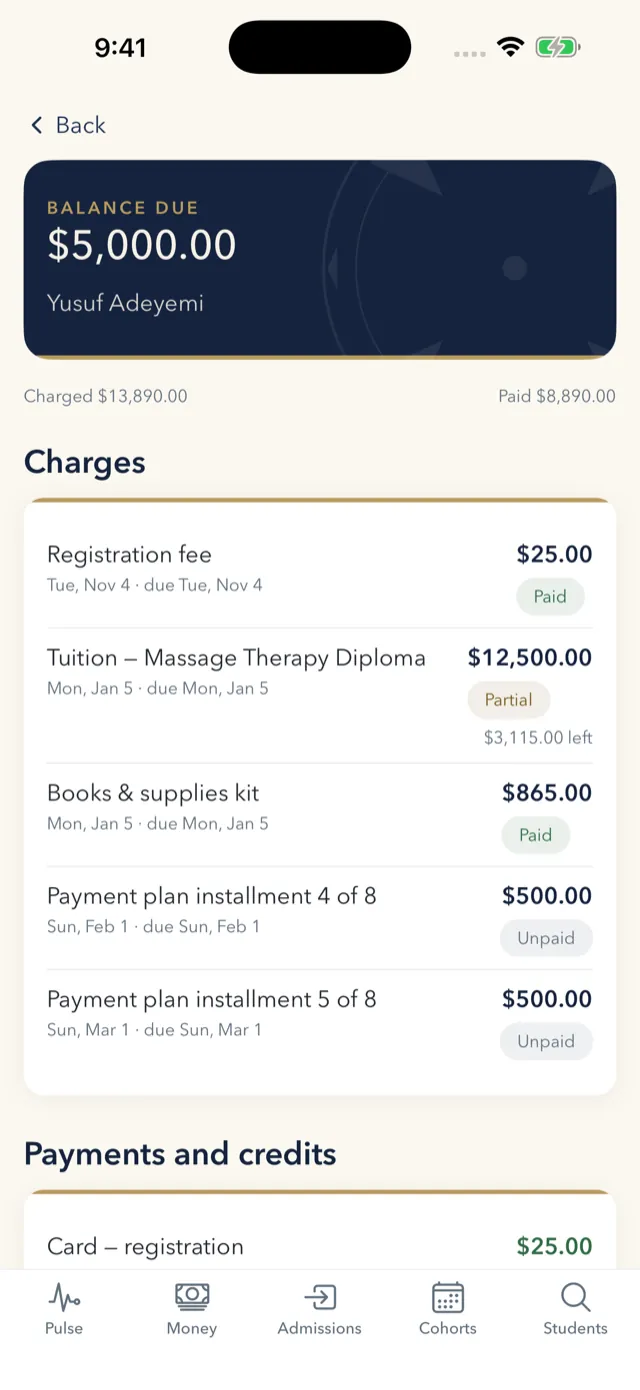
Beacon is the view from the front office between meetings: is anyone here, is anything flagged, what are we owed, who is stuck in admissions. Because it reads school-wide finance and the admissions pipeline it is the most carefully bounded of the three — the shortest-lived credential, and no balance ever written to the device. Posting a payment or moving a student’s status stays on the web, where those records carry their audit trail.
At the door
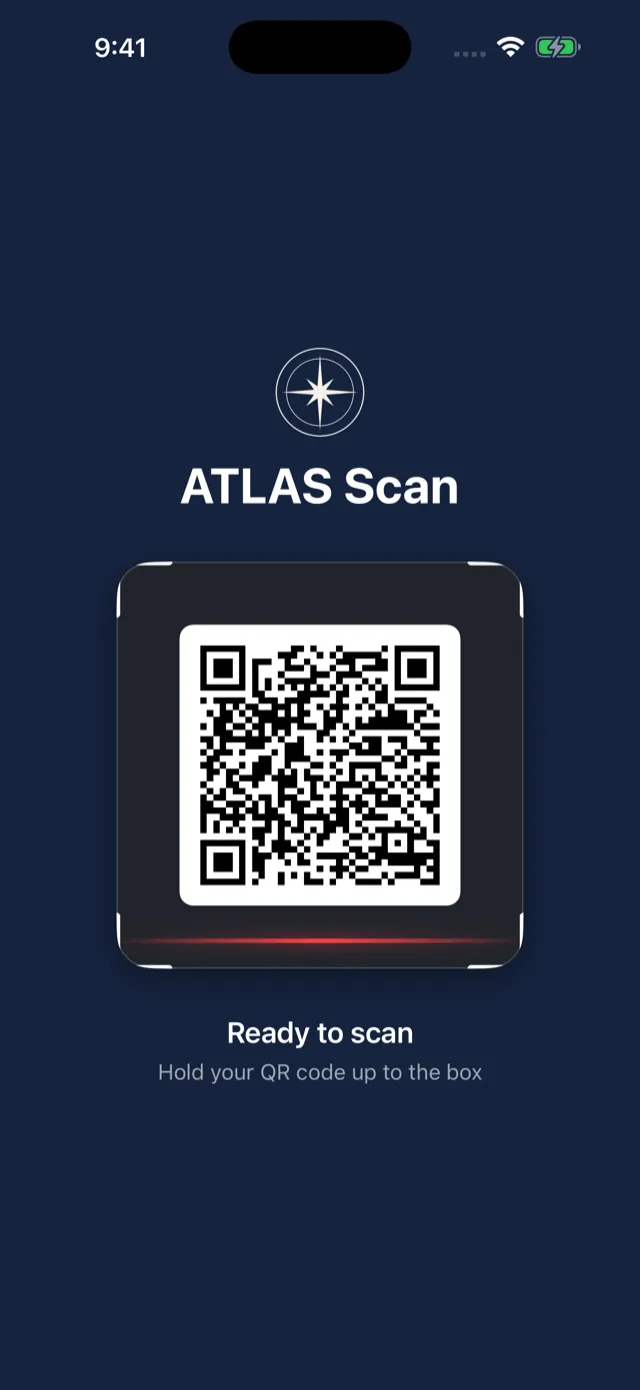
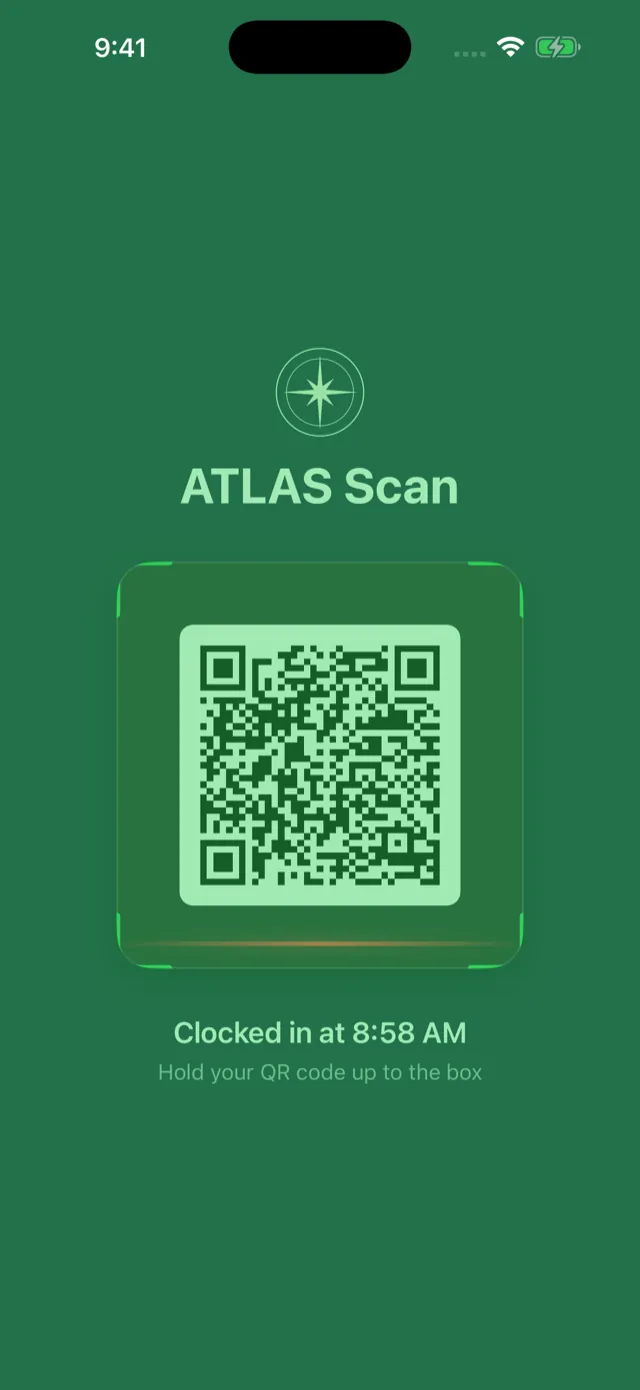
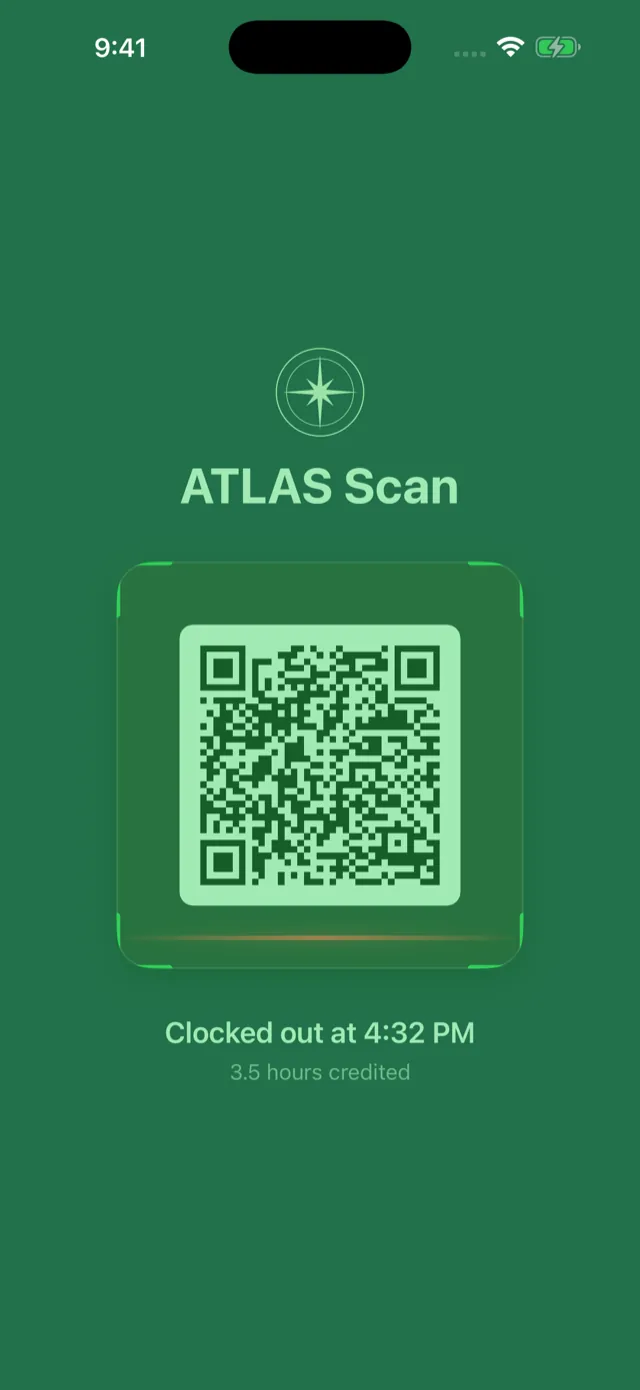
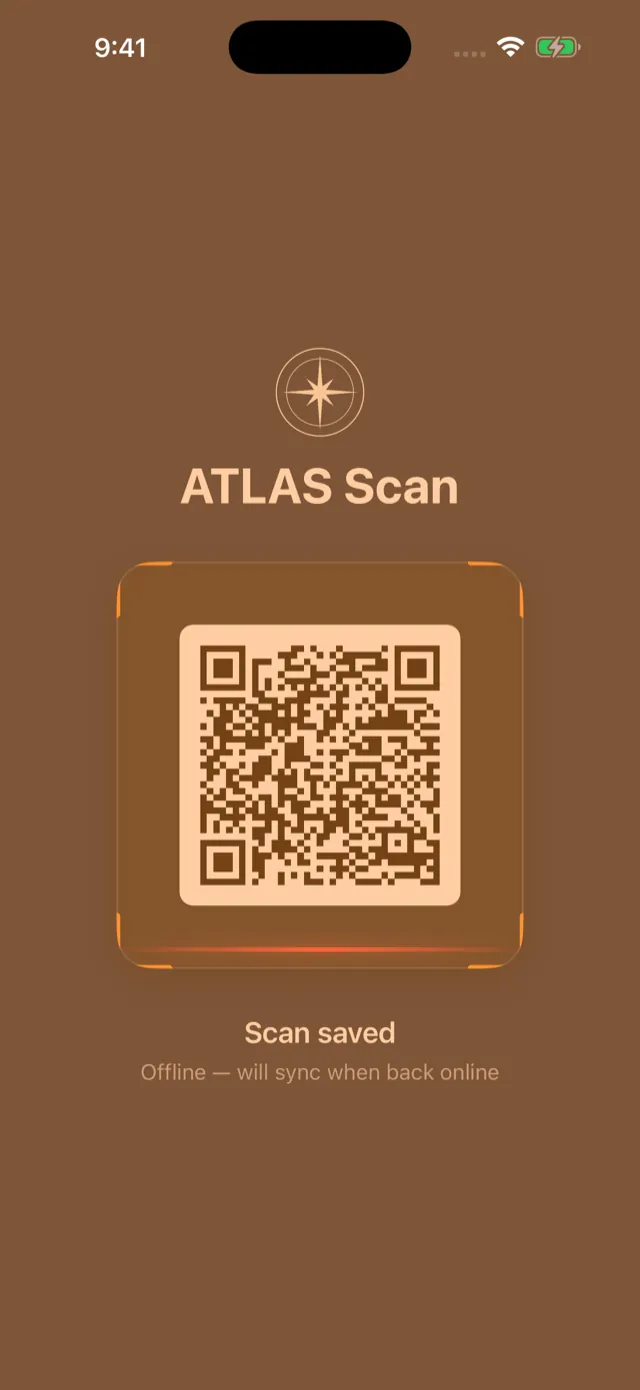
A phone or tablet mounted at the entrance, running all day untouched. A student holds up the QR code from Apprentice — or a printed card — and ATLAS decides from what it already knows about their day whether this is a clock-in or a clock-out, then credits the hours to the right course. Nobody taps the wrong button, because there is no button. If the internet drops, scans are saved on the device and sync themselves when it returns, so attendance survives an outage nobody noticed.
None of these apps writes to a student record. Money, grades and status changes are financial and academic records with audit obligations — they stay on the web, where those obligations are met.
Each app holds its own credential, scoped to what that role may read and revocable for a single device. A lost faculty phone is handled without disturbing anyone else’s access.
The apps read your school’s branding and settings from ATLAS at runtime — the same platform we fit to your programs, your hour rules, and your paperwork.
Actual app screens, captured from the built apps running on invented demo data — every student, balance, cohort and instructor shown here is fictional, and no real student information appears. The kiosk is shown with a sample code and sample scan results.
Who it’s for
If your state board cares about hours, records, and documentation, ATLAS was built for your world.
Clock-hour tracking by category, board-conscious recordkeeping, enrollment agreements, transcripts, and a student portal — ATLAS was born inside a state-licensed massage therapy school.
Admissions, hour tracking across programs, attendance, grades, payments, and completion reporting for cosmetology, esthetics, nail, and barbering programs.
Welding, HVAC, CDL, and other skilled-trade academies: applications, student profiles, class schedules, attendance and hours, payments, and graduation tracking.
Compliance-heavy training records, enrollment paperwork, attendance, student documents, and portal access for EMS, fire, security, and public-safety academies.
Also a strong fit for allied-health programs, ESL and language schools, and other licensed career schools with hour- and record-driven operations.
Not off-the-shelf
ATLAS isn’t a template you conform to. It’s a proven platform we shape around your programs, your rules, and your paperwork — then run for you. You get the speed of starting from a working system with the fit of custom software.
We learn how your school actually operates — programs, hour rules, enrollment paperwork, reporting, and the workarounds your staff have invented.
We configure and extend the platform around your operation — your programs, categories, forms, policies, and branding.
Students, hour histories, balances, and documents come across from your current system, spreadsheets, or files — structured and verified before you switch.
We host, monitor, maintain, and keep improving the system. When you call, you reach the people who built it.
Security, data & support: how we protect, back up, and run ATLAS, and how you get your records out. Visit the ATLAS Trust Center →
Born in a real school
ATLAS wasn’t designed in a pitch deck. It was built inside NC Massage School, a state-licensed North Carolina massage therapy school, to run its actual daily operation — and it’s in use there every day by administrators, instructors, and students. The Horizon Works Group is part of an operating company with firsthand experience running licensed education. That’s the perspective behind every screen.
We build for the people who have to run the school after the demo is over.
Questions schools ask
No — and that’s the point. ATLAS is a working platform born inside a real state-licensed school, and we fit it to each school we work with: your programs, your clock-hour rules, your enrollment paperwork, your reporting. You get the speed of starting from a proven system with the fit of custom software.
Licensed, regulated, and clock-hour schools: massage therapy schools, beauty and cosmetology schools, barber schools, welding and other trade or vocational academies, EMS and public-safety training programs, and similar career schools. If your state board cares about hours, records, and documentation, ATLAS was built for your world.
Yes. Migration is planned as part of every launch. We map your existing student records, attendance and hour histories, balances, and documents — whether they live in another school management system, spreadsheets, or paper files — and bring them across in a structured, verifiable way before you switch.
We do. The Horizon Works Group deploys, hosts, monitors, maintains, and keeps improving the platform after launch. When you call, you reach the people who built your system — not a ticket queue.
The ATLAS Trust Center sets it out in plain English: what happens to your records, how the platform is secured, hosted and backed up, what support covers, and how you get your data out.
ATLAS gives you a strong foundation for the records, hours, statuses, and documentation your school is responsible for — organized, consistent, and ready when you need them. It supports compliance-oriented recordkeeping; it does not replace your regulatory judgment or your board’s review.
Yes. Four companion apps sit around the platform: ATLAS Apprentice for students, ATLAS Navigator for faculty, ATLAS Beacon for administration, and the ATLAS Scan Kiosk that runs at the entrance and turns a QR scan into an attendance record. All of them are read-only — they show what ATLAS holds and never change a student record. Posting payments, entering grades, and moving a student’s status stay on the web, where those records carry their audit trail.
Request a walkthrough below. We’ll show you ATLAS with your school’s day-to-day in mind — enrollment, attendance, hours, grades, payments, and the student portal — and talk honestly about fit, migration, and timeline.
Request a walkthrough
Tell us a little about your school and what you’re managing today — spreadsheets, paper files, or a system that no longer fits. We’ll walk you through ATLAS and give you an honest read on fit, migration, and timeline.
A private conversation with the people who built it — no sales team, no pressure.